The 3 AM Order You Found in the Morning
A buyer placed an order at 2:14 AM. You saw it at 9:30 AM — over your morning coffee, scrolling the dashboard.
By then, the buyer had already messaged you twice on Instagram. By the time you replied, they were shopping somewhere else.
This is the single most expensive moment in social selling: the gap between "order placed" and "seller saw it".
- Email lands in Promotions or Spam, especially Gmail
- Browser push is silent the moment Chrome is closed
- Dashboard refresh requires opening the dashboard
WhatsApp is the only app every Egyptian seller actually checks. So sellX uses it.
How It Works
When a buyer hits "Confirm order" on your storefront, sellX sends a WhatsApp message to the same number you already show buyers on your store — no second SIM, no Meta Business account to set up, no extra subscription.
Here's what lands on your phone:
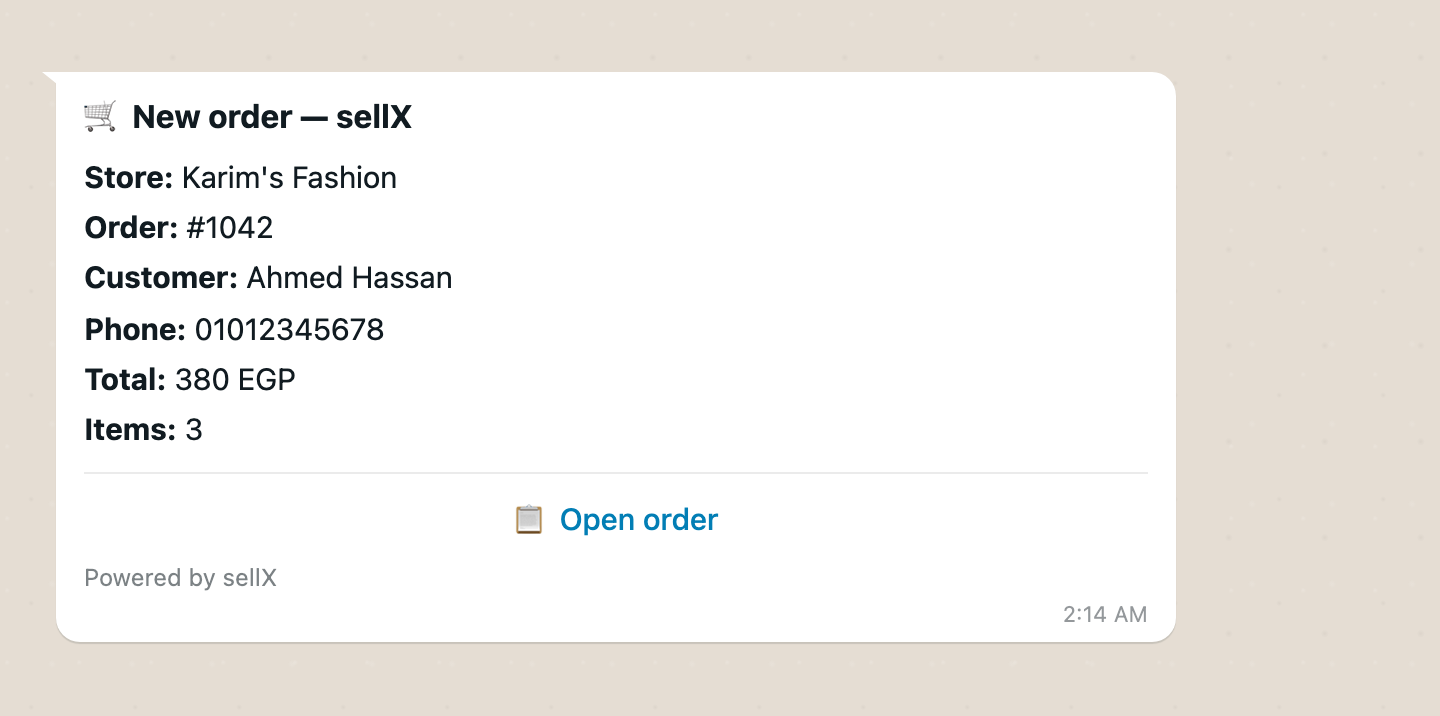
The "Open order" button opens the order page on your phone, where you can confirm it. It rings with the same WhatsApp notification sound as your family group.
Setup
- Open Settings → Notifications
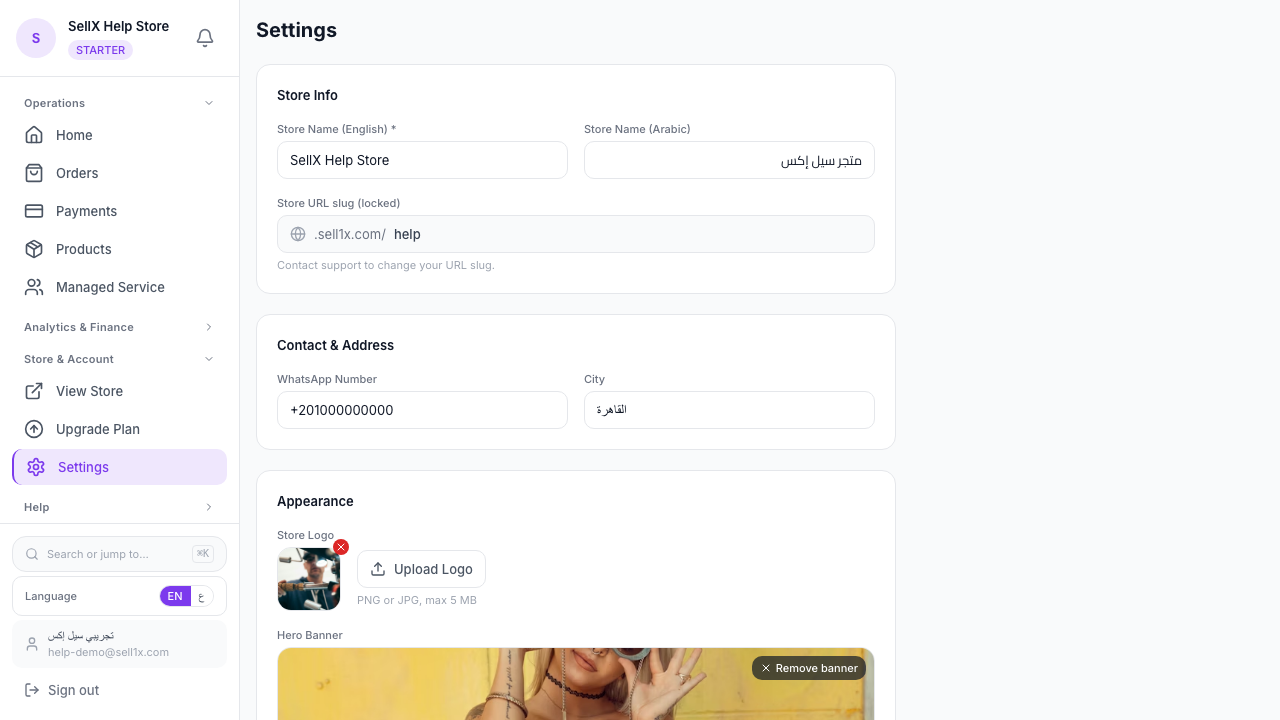
- Check the WhatsApp number at the top — the same one buyers see on your storefront. No number yet? Tap Add number: it lives in Settings → General with the rest of your contact details
- Tap Verify number — a 6-digit code arrives on that WhatsApp
- Enter the code and tap Confirm
- Right under it, in Order alerts on WhatsApp, flip the toggle on
That's it. From your next order on, alerts start arriving on your WhatsApp.
Why you have to verify
To stop someone from typing a competitor's WhatsApp number into your settings and weaponizing the alerts. The 6-digit code proves the number is actually yours.
If you ever change the verified number, sellX automatically asks you to re-verify before alerts resume. No silent rerouting.
Quiet Hours — Don't Wake Up at 3 AM
Toggling alerts on doesn't mean WhatsApp wakes you at 3 AM. Right under the toggle you'll find Quiet hours with four sensible Egypt-timezone presets:
- Off — alert immediately, day or night
- 9 PM – 8 AM
- 10 PM – 8 AM
- 11 PM – 8 AM
- 12 AM – 8 AM
During quiet hours the WhatsApp message is suppressed. The order itself still arrives normally — it shows up in your dashboard, the order tracking link works for the buyer, everything else runs.
When morning comes, you'll see the night's orders in the dashboard as usual. Quiet hours only mute the WhatsApp ping, not the order.
On Every Plan, Including Free
WhatsApp order alerts work on every plan, including Free. Verify your number in settings and they start arriving — there's no upgrade card in the way.
What your plan changes is volume, not access. Every message has a real cost paid to Meta, so alerts follow your plan's monthly order limit, with a daily ceiling as a burst guard: 10 a day on Free, 40 on Essential, 125 on Growth, 200 on Pro. One message per order, no separate top-up.
On a normal day the ceiling doesn't bind; on a very busy day, orders past it still arrive in your dashboard, just without the WhatsApp ping. See plans →
What Happens If WhatsApp Stops Working
If your number gets blocked, you change SIM, or Meta starts rejecting messages, sellX won't keep silently trying to deliver alerts that fail.
After 3 failed sends in a row — or if more than half of the last 5 alerts failed — sellX automatically pauses your WhatsApp alerts and drops a notification in your dashboard inbox telling you what happened.
You re-verify your number, flip the toggle back on, and you're running again.
No silent breakage, no surprise charges, no spamming Meta.
A Few Common Questions
"Does this need WhatsApp Business?" No. Any WhatsApp number works — Business app or personal.
"What about multiple users on my account?" The alert goes to one verified number per store. If you have staff, they'll see new orders in the dashboard like before; the WhatsApp ping goes to the owner's number.
"Is there a limit?" One alert per order, up to your plan's daily ceiling, and none during your quiet hours; the order always lands in your dashboard.
"Can buyers see this number?" They already do — it's the same WhatsApp number that's on your storefront's contact section. You're not adding a new number, just turning on a new use for the same number.
The Bottom Line
The gap between "buyer ordered" and "seller saw it" is where Egyptian social-sellers lose orders. Email is too quiet. Browser push is too unreliable. Dashboard checks happen too rarely.
Every seller checks WhatsApp all day long. Putting the new-order alert there is a dependable way to close that gap.
Sign up for sellX and never miss another order ←
Read next: 8 Ready-Made WhatsApp Messages for Your Customers