The Problem Every Clothing Seller Faces
You sell a dress. Four sizes: S, M, L, XL.
- S, M, L at 300 EGP
- XL at 320 EGP (more fabric, more stitching)
How do you show that on your store?
Most sellers solve it one of two wrong ways: 1. Same price for all sizes — they lose 20 EGP on every XL 2. Two separate products ("Dress — regular" and "Dress — XL") — buyers get confused, can't find what they want
The Fix: A Different Price Per Variant
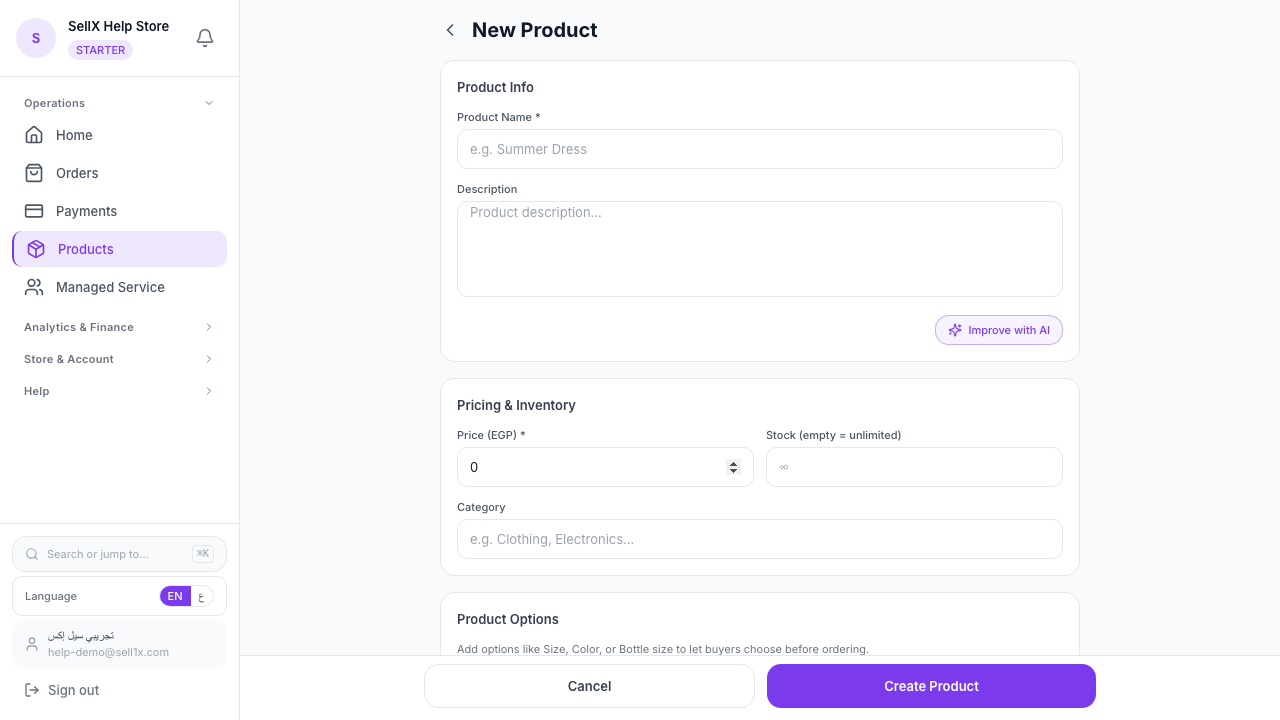
In sellX, in the "Product Options" section of the product form, you do this:
Step 1: Create the option group
Name it "Size". Add the values: - S - M - L - XL
Step 2: Set a price adjustment per value
Next to each size is a "Price adjustment" field: - S → +0 - M → +0 - L → +0 - XL → +20
XL will show the buyer a price of 320 EGP (base 300 + 20).
Step 3: Discount a specific size (optional)
Same idea, negative. If S is a slow mover, apply a discount: - S → –20
S shows at 280 EGP.
Same Logic for Colors
If a product comes in 5 colors and gold costs more: - Red, black, beige, navy → +0 - Gold → +50
The buyer who picks gold pays the extra automatically at checkout.
80+ Built-in Arabic Colors with Visual Swatches
This is a standout feature for Egyptian sellers.
When you create a "Color" option group, sellX provides a built-in database of 80+ colors with Arabic names and a color swatch (colored square) that shows up in the storefront.
Examples from the catalog: - أحمر نبيذي (wine red) - بيج فاتح (light beige) - سماوي (sky blue) - تيل / tiffany - زيتي (olive) - موف فاتح (light mauve) - كافيه (coffee) - كراميل (caramel) - أوف وايت (off white) - فوشيا (fuchsia)
Instead of "Color 1", the buyer sees "Wine Red" with a red square next to it. That's a premium experience.
Multiple Options on the Same Product
You can have more than one option group. Example:
Group 1: Size - S, M, L, XL
Group 2: Color - Red, black, navy
Buyers pick size + color. sellX calculates the final price: - Base: 300 - + XL size: 20 - + Gold color: 50 - Total: 370
Every combination is saved automatically. No need for a separate product per size/color combo.
Independent Stock Per Variant (Optional)
Set different inventory per size or color: - S → 5 pieces - M → 15 pieces - L → 20 pieces - XL → 3 pieces
When XL runs out, only "XL unavailable" shows — buyers can still order other sizes.
When to Use Variants
Use them for: - Clothing with sizes - Accessories with colors - Bags with sizes - Gifts with different prints
Don't use them when: - Each color/size has a completely different photo shoot (use separate products) - The variants differ fundamentally (e.g. "Perfume + soap" — that's not a variant)
Pricing Tips for Variants
1. Keep the gaps small 10–30 EGP difference is fine. A 100+ EGP gap between sizes of the same product feels like price gouging.
2. Explain why a size costs more In the description: "XL has extra fabric and tailoring". Transparency builds trust.
3. Discount the size that moves slowly If XL is slow, run a weekly discount on it. Moves inventory.
4. Start simple For your first product, use one option group only (Size). Add color later once you're comfortable.
The Bottom Line
One product + variants = easier management + unconfused buyers + the right price per option.
sellX gives you all of that in a single form. No plugins, no complexity.
Start free and try variants on your first product ←
Read next: How to write a product description that actually sells