The Problem: "Where's My Order?" — The Question That Stresses You Out
"Where's my order?" — if you sell online, you hear this a lot. And every time your answer is "Let me check and get back to you," your customer's trust in you drops a little.
Order tracking isn't just a convenience for you — it's a fundamental part of the buying experience your customer lives. A customer who knows their order is being prepared is far more patient than one who has no idea what's happening.
Order Stages: From Receipt to Delivery
Every order passes through defined stages. Understanding these stages lets you control the process:
Stage 1: New Order 🆕
The customer completed the order and their details arrived. At this stage:
- Verify the accuracy of data (address, phone, product)
- If there's a question, contact the customer immediately
Stage 2: Confirmed ✅
You've confirmed the order and your customer knows it was accepted. At this stage:
- Send the customer a confirmation message
- Record the confirmation time
Stage 3: Preparing 🔧
You're preparing the order — packing, getting ready to ship. At this stage:
- Verify stock quantities
- Prepare the packaging
Stage 4: Shipped 🚚
You've handed the order to the shipping company or courier. At this stage:
- Send the customer a tracking number if available
- Notify them their order is on the way
Stage 5: Delivered ✅
The order has reached the customer. At this stage:
- Send a follow-up message "Did you enjoy it?"
- Record the delivery in the system
How sellX Helps You Track Orders
Clear Dashboard
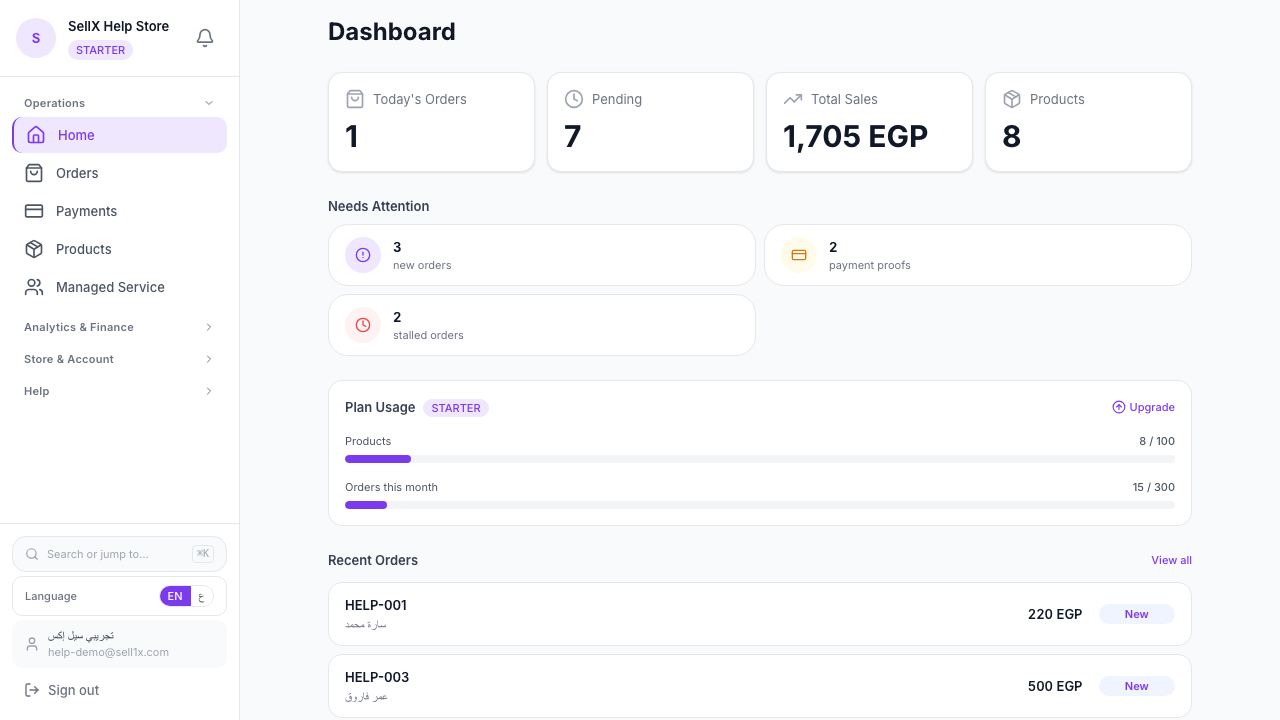
From the dashboard, you immediately see:
- How many new orders need your attention
- Confirmed orders currently being prepared
- Shipped orders on their way
You don't need to remember anything — the system shows you everything that matters.
Change the Status From the Order
Move an order from "New" to "Confirmed" right from the order. With every status change, you can send the customer a WhatsApp update.
Full Order Details
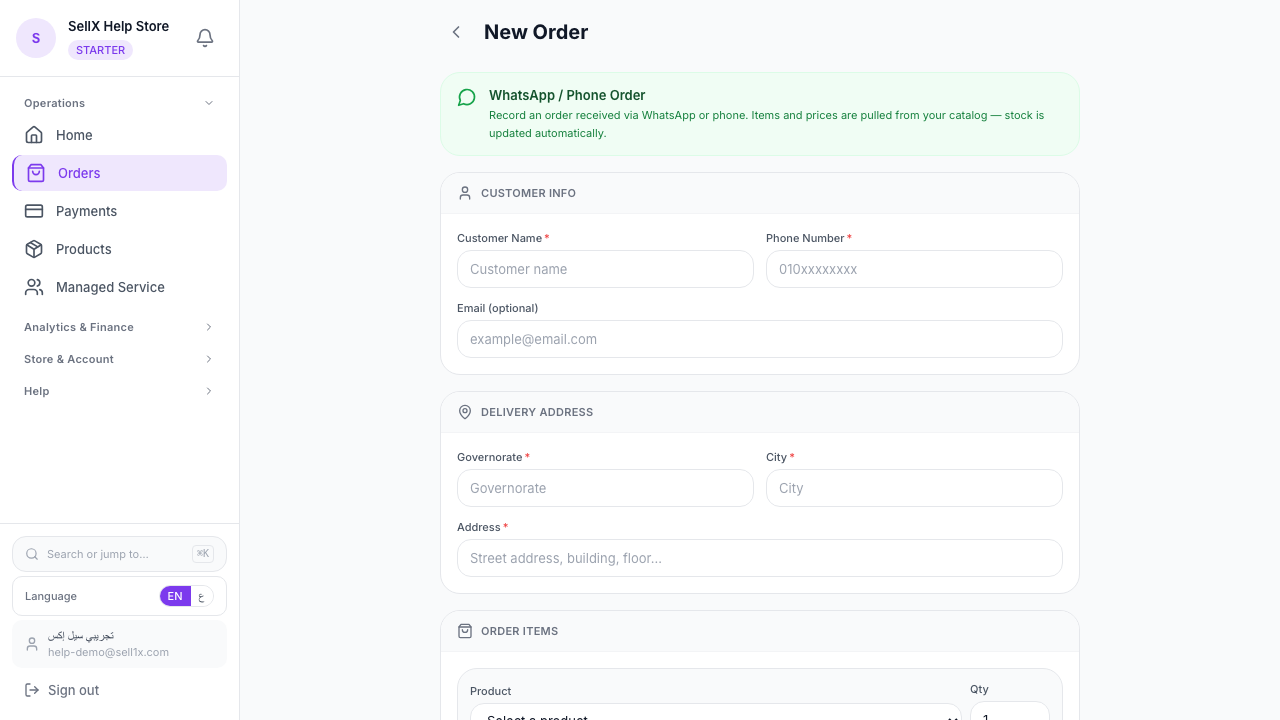
Opening any order shows you:
- Complete customer information
- Products ordered
- Customer's special notes
- Order date
- Quick confirm and ship buttons
Communicating With Customers at Each Stage
Regular communication is the most important factor in customer satisfaction. No need for long messages — short and specific is best.
Order Confirmation Message
`` Hello [Customer Name] 😊 Your order has been received and we're preparing it now. Order number: #[Number] Product: [Product name] It'll arrive within [delivery time] Thank you ♥ ``
Shipping Message
`` Great news! Your order #[Number] has been shipped and is on its way. Expected arrival: [Date] For any questions, I'm here 😊 ``
Post-Delivery Message
`` Your order arrived safely, hopefully! 🎉 Did you enjoy the product? Share your review or a photo 📸 ``
sellX has these templates ready: tap one and WhatsApp opens with the message filled in.
Managing Delayed Orders
Sometimes orders get delayed for various reasons. How do you handle that?
1. Know before the customer does: If you know there's a delay, tell the customer yourself before they ask. This makes you look honest and proactive.
2. Give a genuine apology: "I'm sorry, the order was delayed due to high shipping volume right now. We're doing everything we can." That's better than silence.
3. Compensate if possible: If the delay is significant, consider a discount on the next order or free shipping. This turns a negative experience into a positive one.
4. Review the pattern: If many orders are consistently delayed, there's a problem in your preparation or delivery process that needs to be fixed.
Order Performance Reports
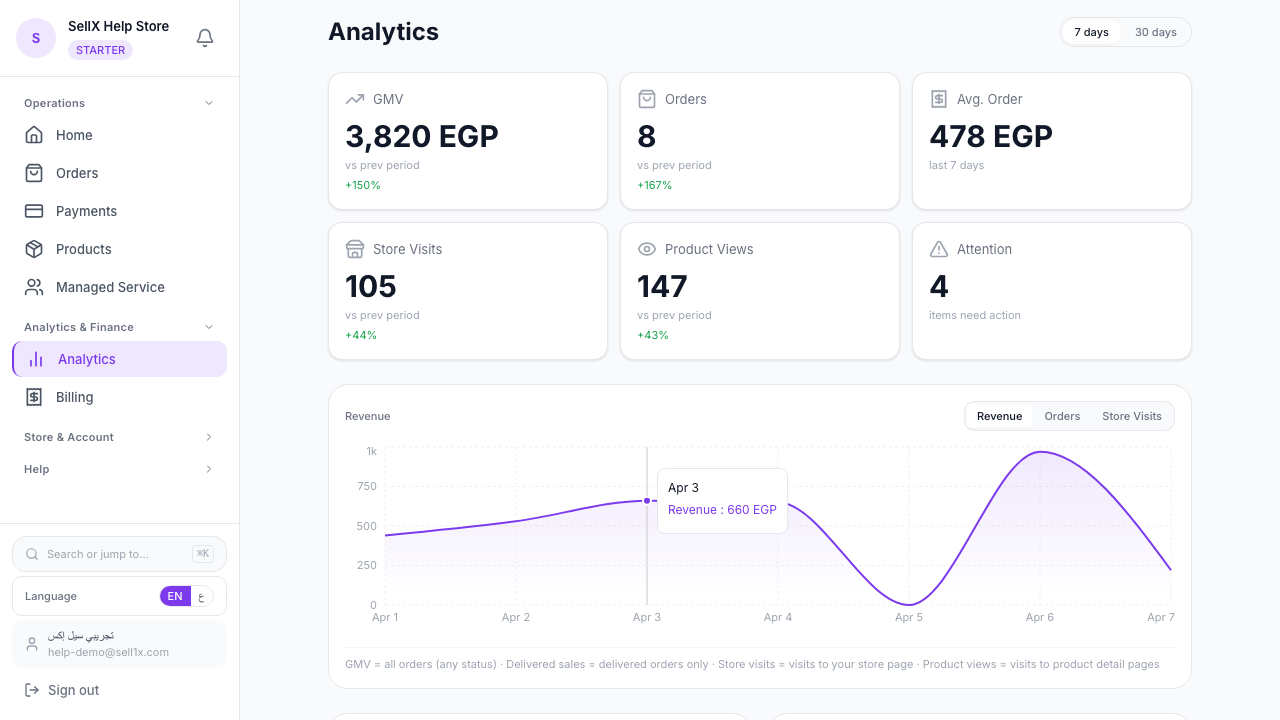
Track weekly:
- On-time delivery rate: How many orders arrived on time?
- Average delivery time: How long from order to delivery?
- Top delivery areas: So you can negotiate better rates with shipping companies
sellX calculates these reports automatically on the analytics page.
Quick Tips for Effective Follow-Up
1. Set a fixed time for orders: You don't need to check the system 100 times a day. Morning, midday, and evening — 3 times is enough.
2. Start with new orders: New orders need confirmation fastest. Make them your first priority.
3. Use notes: If there are special details about an order, record them in the notes field. This helps when you forget.
4. Respond quickly: The faster your responses, the greater your customer's trust in you.
The Bottom Line
Tracking orders isn't a burden — it's an investment in customer trust. A customer who feels your business is organized and treats them professionally will come back and bring others.
sellX makes this easy and organized with no extra effort.