Why Cash-on-Delivery Alone Is Costing You
Cash on delivery is the default in Egypt — but selling COD-only quietly costs you:
- Fake and flaky orders. Anyone can type a name and an address. You pay shipping, the buyer refuses at the door, and the product comes back.
- No money until delivery. Your cash is tied up in stock and shipping for a week before you see a pound.
- Lost buyers. A growing share of customers — especially on Instagram and TikTok — prefer to pay by card or wallet and trust a store that accepts them.
The fix isn't to drop COD. It's to offer prepaid payment alongside it, so serious buyers can pay up front.
The Fix: Connect Paymob
Paymob is Egypt's most widely used payment gateway. Once connected, your buyers can pay with Visa, Mastercard, Meeza, Vodafone Cash / e-wallets, and Fawry — right inside your checkout.
Your money stays yours. Paymob settles payments straight into your Paymob account. sellX never touches or holds your funds — we only pass the order through.
Online payments are available on every plan, including Free.
Step-by-Step Setup
1. Create a Paymob account
Sign up at paymob.com and finish their merchant onboarding (they verify your business and bank account). Inside Paymob, enable the payment methods you want — cards, wallets, Fawry.
2. Open Integrations in sellX
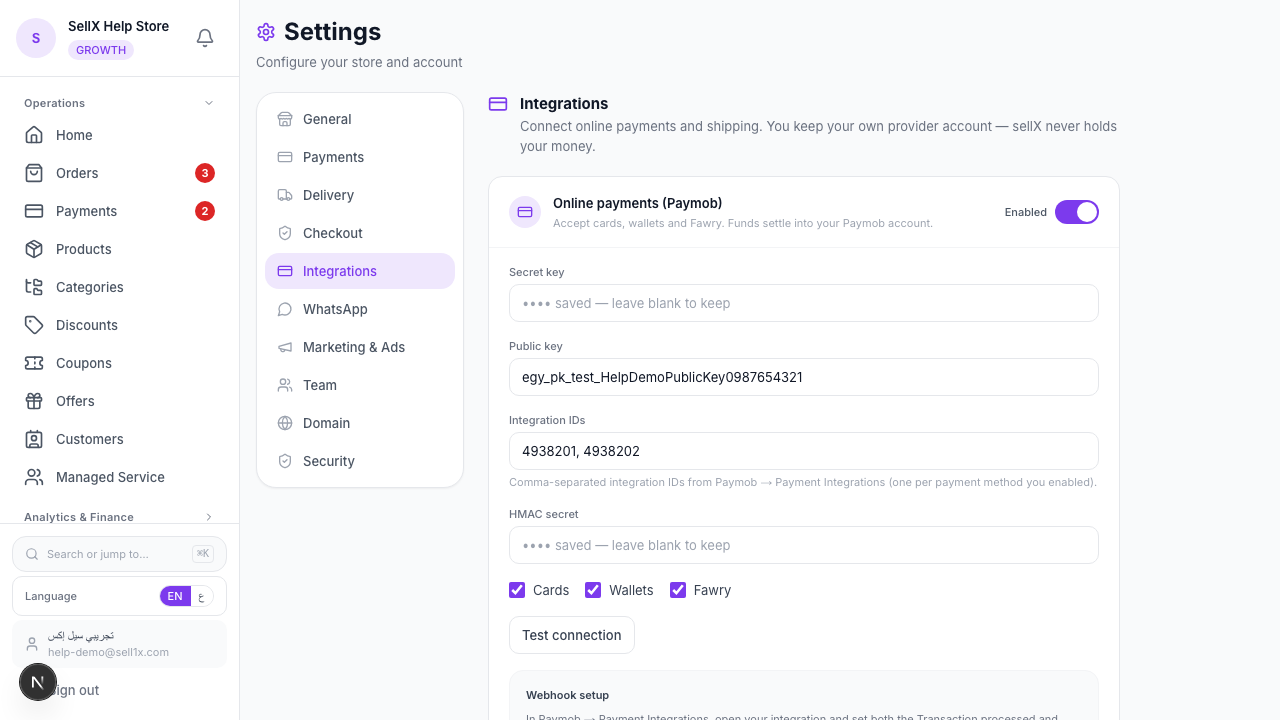
From the dashboard, open Settings, then click the Integrations tab.
3. Paste your Paymob keys
In the Online payments (Paymob) section, fill in the four values from your Paymob account:
- Secret key — Paymob → Settings ⚙ → API Keys
- Public key — used to render Paymob's secure checkout
- Integration IDs — Paymob → Payment Integrations (one ID per payment method you enabled, separated by commas)
- HMAC secret — Paymob → Settings → Account Info → HMAC
Then tick the channels you want buyers to see: Cards, Wallets, Fawry.
4. Set the webhook in Paymob
sellX shows you a Webhook URL in the same section. Copy it. In Paymob → Payment Integrations, open your integration and set both the Transaction processed and Transaction response callbacks to that URL, then Save. This is how sellX learns a payment succeeded.
5. Test the connection
Click Test connection. A green result means your keys are valid. Hit Save Changes and you're live.
What the Buyer Sees
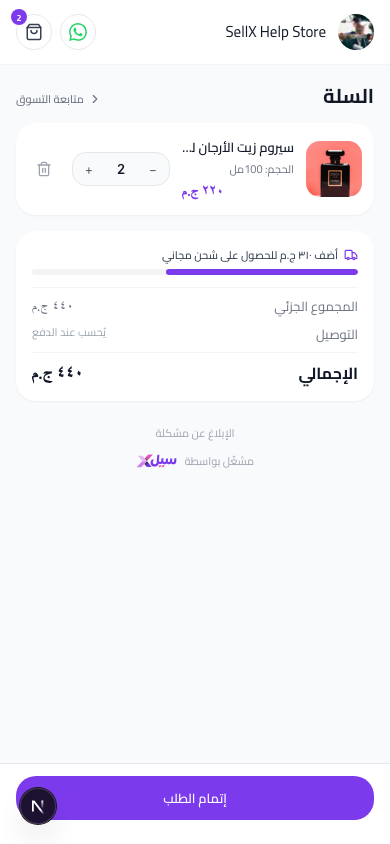
At checkout, alongside cash on delivery, the buyer now sees a Pay online option. Tapping it opens Paymob's secure page where they pay by card, wallet, or Fawry. The order only confirms once the payment goes through — so a paid order is a real order.
Why This Pays for Itself
1. Prepaid orders don't bounce
A buyer who already paid won't refuse the package at the door. Your return rate drops and your shipping waste with it.
2. You get paid immediately
No waiting a week for COD remittance. The money is in your Paymob account the moment the buyer pays.
3. You look like a real store
A checkout that accepts cards and wallets signals trust. Hesitant buyers convert.
Tips
- Keep COD on too. Offer both. Let the buyer choose — many will pick prepaid once it's there.
- Nudge prepaid with a small perk. Free shipping or a tiny discount for paying online shifts behaviour fast.
- Use it for far governorates. For Upper Egypt and remote areas where returns hurt most, encourage prepaid to protect your margin.
The Bottom Line
Connecting Paymob takes ten minutes and turns your store from "send it and hope" into "get paid, then ship." Real money up front, fewer fake orders, happier shipping numbers.
Start on sellX and accept online payments ←
Read next: How to confirm COD orders before you ship and cut fake orders